Thursday, February 26, 2015

Index Cards


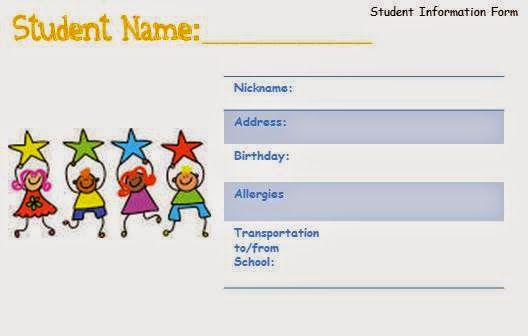
I made an index card for a Student Information Form. One card contains student information and the other card contains parent information.


 Index Cards Power Point


Thursday, February 19, 2015

Tuesday, February 17, 2015

Student Information Form

Please click the link below to share some student information.


Thursday, February 12, 2015

Technology Choice- Tech Matrix


Tech Matrix provides assistive and educational technology tools and resources to support learning for students with disabilities and their classmates. I will use techmatrix.com when in need of differentiated instruction, which will mostly be common. I found the database of over 400 resources highly useful because it allows you to search exactly what type of app you need, where you can access it, and research relating to the use of technology to assist in student learning. For example, I searched for resources that can assist a 3rd Grade student who has a hearing imparement and is learning about fractions. Below is in example of the app I found on www.techmatrix.com:

Freddy Fraction
Freddy Fraction is a busy bee who needs your help! Freddy needs to collect all the honey pots for the Queen Bee. It is your job to guide Freddy quickly to the honey pots! Help Freddy find his way to each honey pot by dragging him onto the space that equals the number in the upper right hand corner of the screen.

SOURCE:www.techmatrix.com

Tuesday, February 10, 2015

Technology Choice - Apple IBooks

IBooks is a free application from Apple’s Itunes App Store. It is an app that can read the entire book for you or assist you along your way with the dictionary and the option to “speak single word”. With its wide variety of titles, IBooks can be used for research, entertainment, and art. It has a feature that allows teachers to create their own multimedia interactive textbooks. 


SOURCES:
Teaching and Learning with Technology 
http://tidbits.com/article/11150


Search Engines for Kids

GoGooligan 
Large, Bold font

Organize Notes feature
This engine is powered by Google’s SafeSearch and custom search engine option, though it’s clear that it’s not affiliated with or part of Google. It styles itself as an ‘educational/academic/ search engine’ for kids and teens (source: http://www.philb.com/articles/childrensearchengines.htm)

Pros:

+      +  Large text
+       + Organize Notes feature allows students to quickly organize their notes while they do research.

Cons:

-       - Minimal results. When I searched the word ‘Bomb’, I was redirected and could not view any of the results that showed up (Bombing of Hiroshima, Bombay, etc.)
-        -There is a link that reads “What is a Gooligan?” The link opens up a site called urbandictionary.com. This site has a lot of ‘slang’ terms that students may have heard from a peer or parent, heard in a song, or seen on TV. Urban Dictionary allows users to search for the definition of these words. The site contains explicit content.

f  QuinturaKids


     This site provides some animation linking to other aspects of the site (games, animals, sport and so on) with a word cloud above the search box. There wasn't any way of getting the engine to search verbatim though. (source: http://www.philb.com/articles/childrensearchengines.htm)


Pros:

+       + Related words show up after searching a certain topic.
+        +Visually appealing to kids.
+        +Games, Sports, Animals, Music, and History are shown by corresponding icons and are easy to find.
+       + Available for Iphone/Ipad in App Store.

Cons:

-        -Difficult to find exact results. When I searched for a map of the United States, of the 12 results that showed up, none of them contained a map.